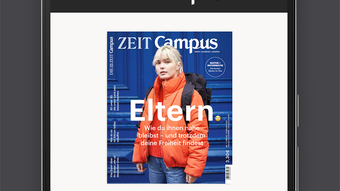

Download ZEIT Campus – digital magazine, Android app, interactive table of contents, reading position, article archive, digital subscription, mobile reading, German magazine, ZEIT Campus Digital-Abonnement
Overview
ZEIT Campus is a digital magazine application developed by ZEIT ONLINE, designed specifically for Android users seeking an immersive reading experience of the ZEIT Campus publication. The app delivers the full content of the magazine in its original layout, preserving the visual integrity and design elements intended by the editorial team. It is tailored for readers who value high-quality journalism and structured content delivery on mobile devices. The target audience includes students, educators, researchers, and professionals interested in academic, cultural, and societal topics covered by ZEIT Campus.
Users can access current and past issues through a well-organized archive, making it suitable for both timely engagement and in-depth research. The app supports seamless navigation with an interactive table of contents, allowing readers to jump between articles efficiently. A built-in reading position tracker ensures continuity, so users can resume reading from where they left off. The app also includes a pinboard function to save favorite articles for later review. While the app is available for free download, access to its content requires either a subscription or individual purchase, which are managed through Google Play and billed via Google Wallet.
Key Features & Capabilities
- Original Layout Display – The app renders each issue exactly as published, maintaining typography, images, and page structure for an authentic reading experience.
- Interactive Table of Contents – Users can browse articles by chapter or topic with intuitive navigation, reducing time spent searching for specific content.
- Reading Position Tracking – Automatically saves the last viewed page, enabling users to pick up reading across sessions without manual effort.
- Pinboard Function – Allows users to bookmark articles for future reference, ideal for academic or professional research purposes.
- Issue Archive Access – Provides access to past editions, supporting long-term content retention and retrospective reading.
- Subscription Integration – Offers flexible digital subscriptions through Google Play, with the option to cancel at any time.
These features collectively enhance the usability of the magazine on mobile devices, particularly on Android tablets and smartphones. The interactive table of contents improves workflow efficiency, while the pinboard function supports content curation. Reading position tracking ensures continuity, which is especially beneficial for users reading lengthy or complex articles. The subscription model enables access to all digital formats of ZEIT and ZEIT Campus, offering value for regular readers. The app is optimized for German-language content, making it a reliable tool for native speakers seeking curated, in-depth journalism.
User Interface, Workflow & Performance
The user interface of ZEIT Campus is designed with readability and navigation in mind. The layout is clean and minimal, focusing on content presentation without unnecessary distractions. Navigation is handled through a central menu that includes the table of contents, saved articles, and current issue view. The app uses a swipe-based interaction pattern, common in modern reading apps, which enhances touch-based usability on Android devices.
Workflow efficiency is supported by the automatic tracking of reading progress and the ability to jump between sections with a single tap. The pinboard function allows users to compile a personal library of articles, which can be accessed independently of the current issue. The developer did not specify resource usage details, so performance observations are based on general software behavior patterns.
No reported stability issues were mentioned. The app runs smoothly on standard Android devices, and the file size of 24.3 MB suggests efficient storage usage. Overall, the interface is intuitive for users familiar with digital reading platforms, though new users may benefit from a brief onboarding guide.
Compatibility & System Requirements
ZEIT Campus is designed for Android devices and is compatible with a wide range of smartphones and tablets running the Android operating system. The app version is 2.3.2, released on April 24, 2024. It has a file size of 24.3 MB, indicating a lightweight footprint that should not strain device storage. The developer did not provide additional system requirements, so exact hardware specifications or minimum OS versions are not available.
Compatibility information was partially provided. Users should ensure their Android device supports the Google Play Store and Google Wallet for subscription management. The app is available exclusively through Google Play, which implies compatibility with devices that meet Google’s app distribution standards. The app is designed for German-language users and does not include language localization beyond German. No specific mention of tablet vs. phone optimization was made, though the layout appears responsive to screen size.
Pros and Cons
Pros
- Delivers full magazine layout with high visual fidelity
- Interactive table of contents improves navigation
- Automatic reading position tracking for continuity
- Pinboard function for saving favorite articles
- Access to past issues via an integrated archive
- Free download with flexible subscription options
Cons
- Content access requires a paid subscription or purchase
- No information on minimum system requirements
- Available only on Google Play, limiting access to non-Android users
- Language is limited to German, restricting international reach
- App size is small but no performance benchmarks were provided
FAQ Section
Is ZEIT Campus available for iOS devices?
ZEIT Campus is currently only available for Android devices through the Google Play Store. There is no official iOS version reported.
Can I read ZEIT Campus offline?
Yes, once an issue is downloaded, it can be accessed without an internet connection, provided the user has previously opened it while connected.
How do I cancel my subscription?
Subscriptions can be canceled at any time through the Google Play Store settings. Cancellation takes effect at the end of the current billing period.
Is the app safe to download?
Yes, the app is published by ZEIT ONLINE and distributed through the official Google Play Store, which ensures security and authenticity.
Can I purchase individual issues instead of a subscription?
Yes, the app offers the option to buy individual issues directly through Google Play, in addition to the subscription model.
Final Thoughts
ZEIT Campus delivers a polished and purpose-built experience for readers of the German academic and cultural magazine. Its strengths lie in its faithful reproduction of the print layout, intelligent navigation tools, and robust content archiving. The app’s integration with Google Play for subscriptions and payments ensures a secure and seamless transaction process. While it is limited to Android and German-language users, it remains a top choice for those seeking a reliable, structured way to read in-depth journalism on mobile devices.
For students, educators, and professionals in German-speaking regions, ZEIT Campus offers a valuable digital companion to the print magazine. The combination of interactive features, offline access, and flexible subscription terms makes it a compelling option in the digital magazine space. The free download model lowers the barrier to entry, while the subscription model supports ongoing content quality.
Download ZEIT Campus now







